

系统:macos
环境:docker
数据库:使用本地h2
初始化环境
参考链接:
docker run -it -d \
    --name halo \
    --restart unless-stopped \
    -p 8090:8090 \
    -v /Users/sky/Public/halo:/root/.halo2 \
    -e JVM_OPTS="-Xmx512m -Xms256m -XX:+UseG1GC" \
    -e SPRINGDOC_SWAGGER_UI_ENABLED=true \
    -e SPRING_THYMELEAF_CACHE=false \
    -e TZ=Asia/Shanghai \
    registry.fit2cloud.com/halo/halo-pro:2.22.3 \
    --spring.r2dbc.url=r2dbc:h2:file:///root/.halo2/db/halo-next \
    --spring.sql.init.platform=h2 \
    --halo.external-url=/
需要注意的点:
registry.fit2cloud.com/halo/halo-pro:2.22.3 \ 版本不同时需要手动设置一下
-v /Users/{user}/Public/halo:/root/.halo2 \ 映射的目录,我是放在我mac用户名下的公共目录下的halo文件夹
theme 下则是对应的模版了

使用编辑器打开模版目录
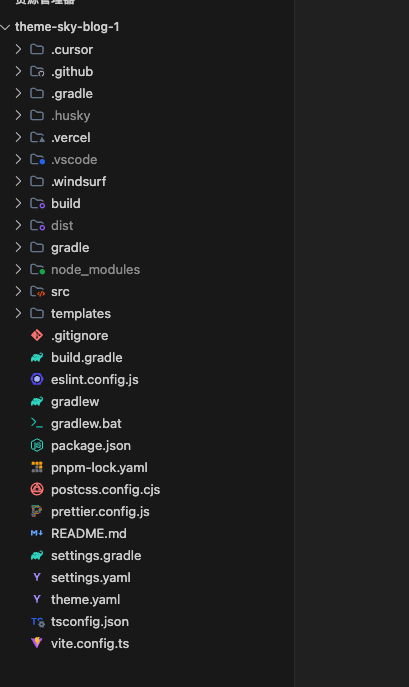
初始化模版项目
你喜欢使用最原始的开发方式(html+css+js),选择第一个
优先推荐官方方案,你可以参考我的更新的依赖版本,但我这套‘魔改版’方案为了个人习惯引入了较多组件,复杂度较高,并不一定适合你的项目直接套用
使用vite后构建什么的也很简单的
# 安装依赖
pnpm install
# 开发模式
pnpm dev
# 构建主题包
pnpm build
ai的选择(哪个免费用哪个,嘿嘿嘿)